
NEWS, EDITORIALS, REFERENCE

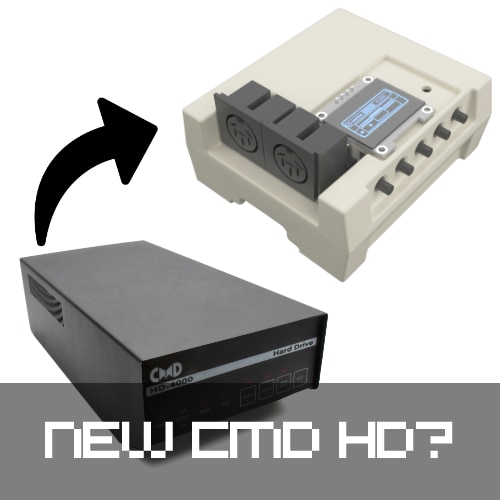
PiCMD is a brain transplant for Pi1541
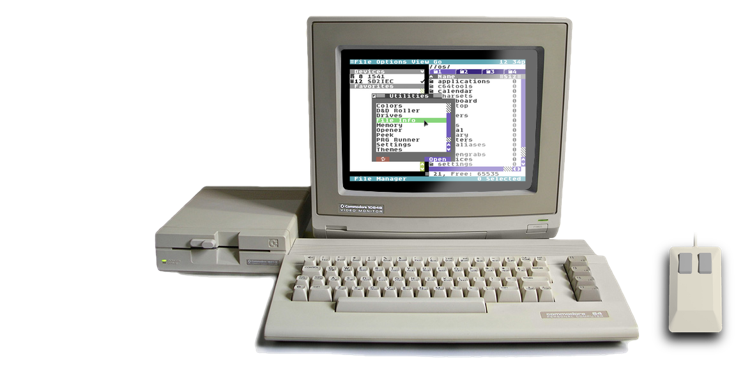
C64 OS is a system of sufficient complexity that, like modern operating systems, it requires a boot device that is capable of certain minimum requirements.
Once upon a time you could run Mac OS (System 1 through 6, mostly) from floppy disks. But after that the system was truly designed for and eventually required a hard drive. Something similar either did or would have happened with Amiga OS. The original versions released by Commodore could be booted from floppies, but later versions like 3.9 and 4.x require installation on a hard drive. Even early versions of Windows, 1.0 and 2.0 could run from floppies, but 2.1, 3.0 and up require a hard drive. This is the way of things.
GEOS can be run from floppies, but when I started with C64 OS in 2017, it was time to design a system that requires a hard drive. It gets all the benefits that can be had by guaranteeing a mass storage device with nested subdirectories is available. The only downside is that you have a hardware requirement that must be met.
That downside I tried to mitigate by supporting as many different kinds of mass storage device as was practical to support. The first list was pretty solid. If you already have one of these then there's no need to get another device.
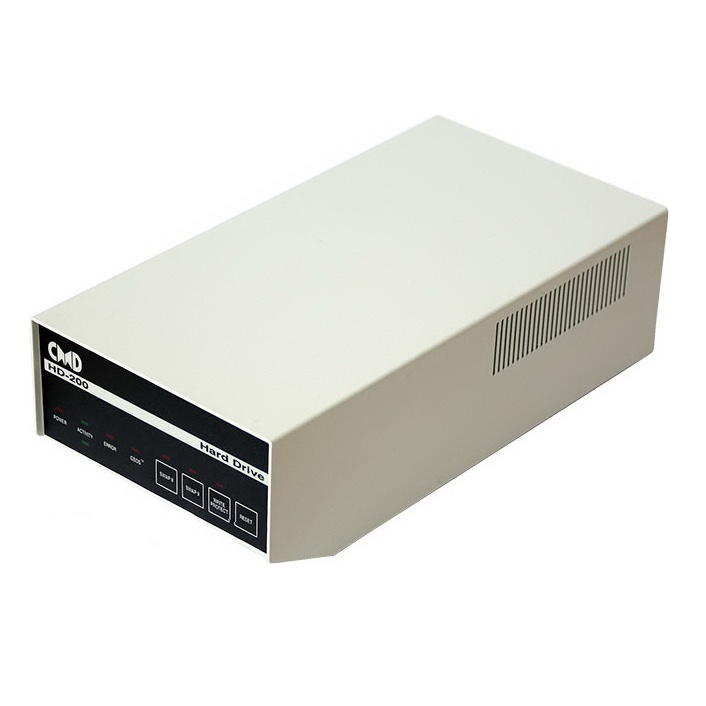
- CMD HD
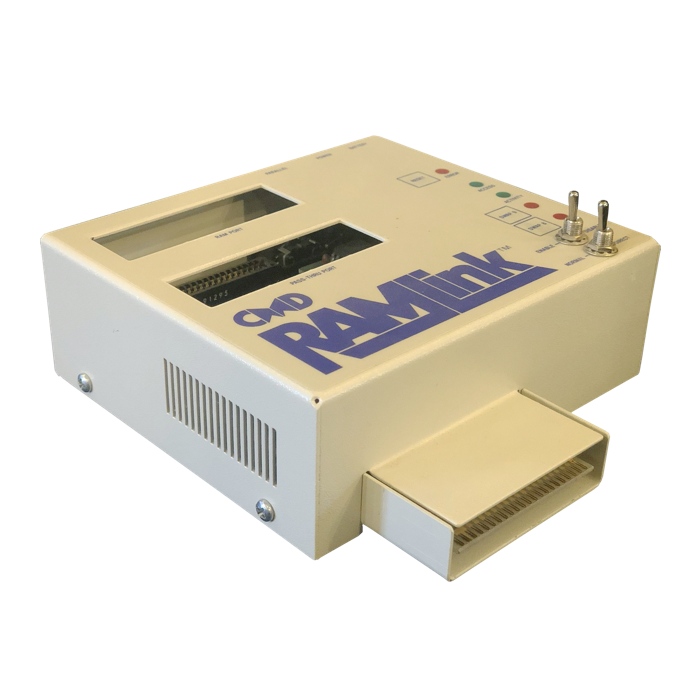
- CMD RAMLink
- IDE64 (v3 or v4)
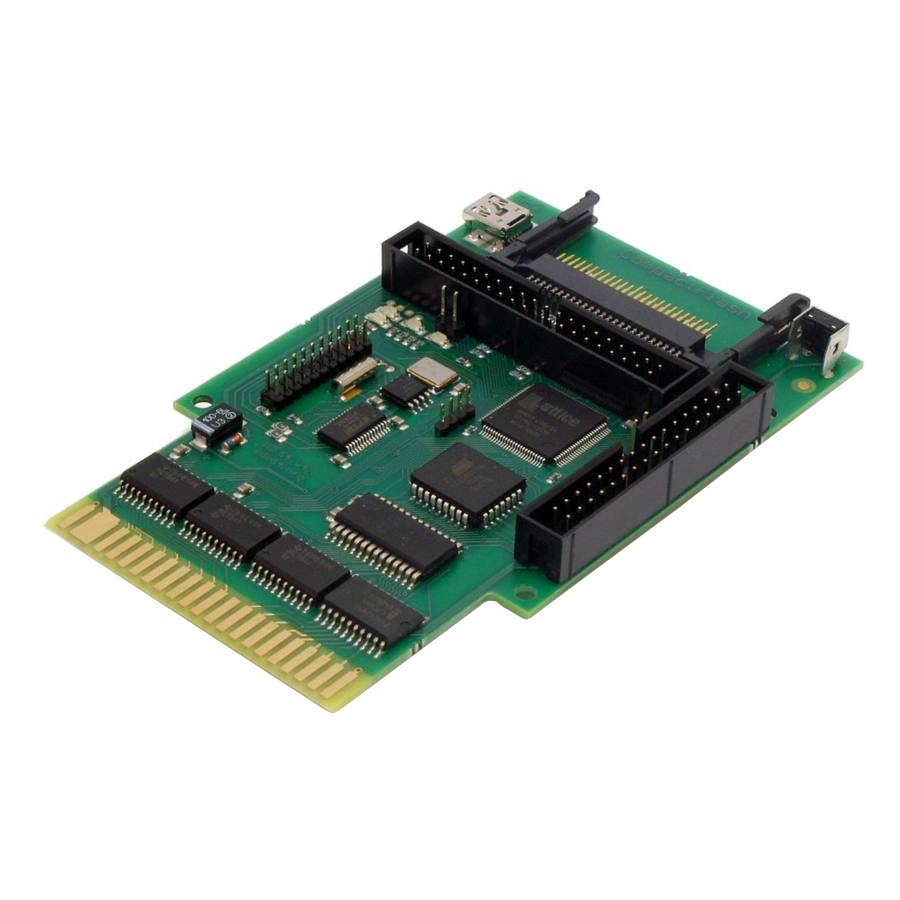
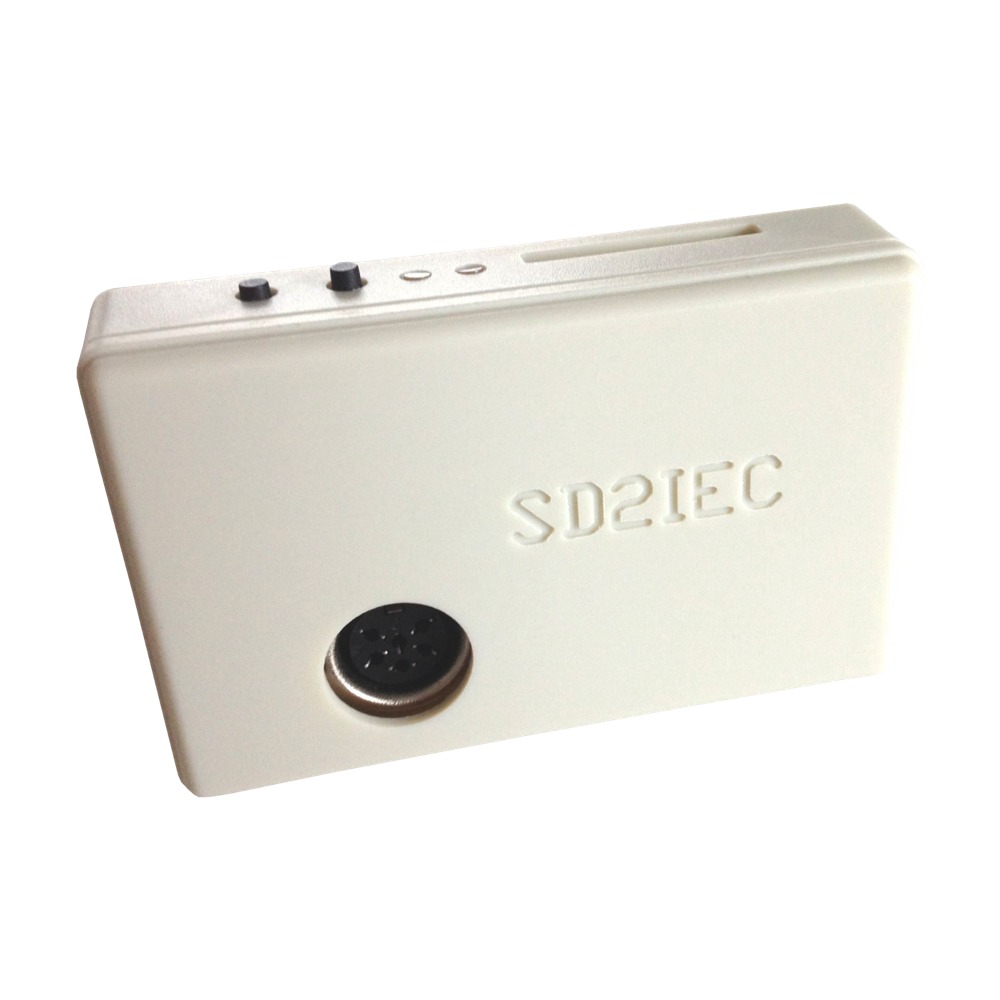
- SD2IEC (many iterations and form factors)
- CMD FD-2000 or 40001
Many people have asked me, what about Pi1541, can I boot C64 OS from that? The answer has been, "no." Until now. Let's see why.
What is Pi1541?
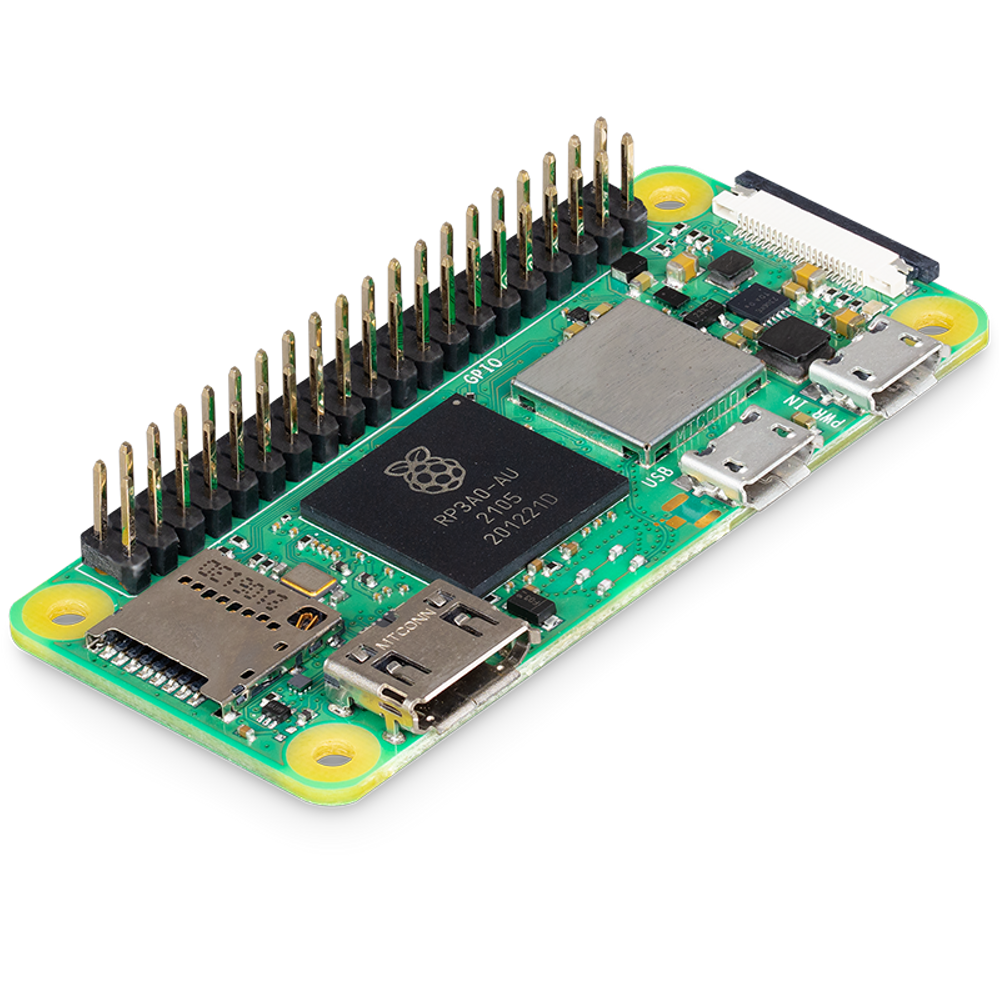
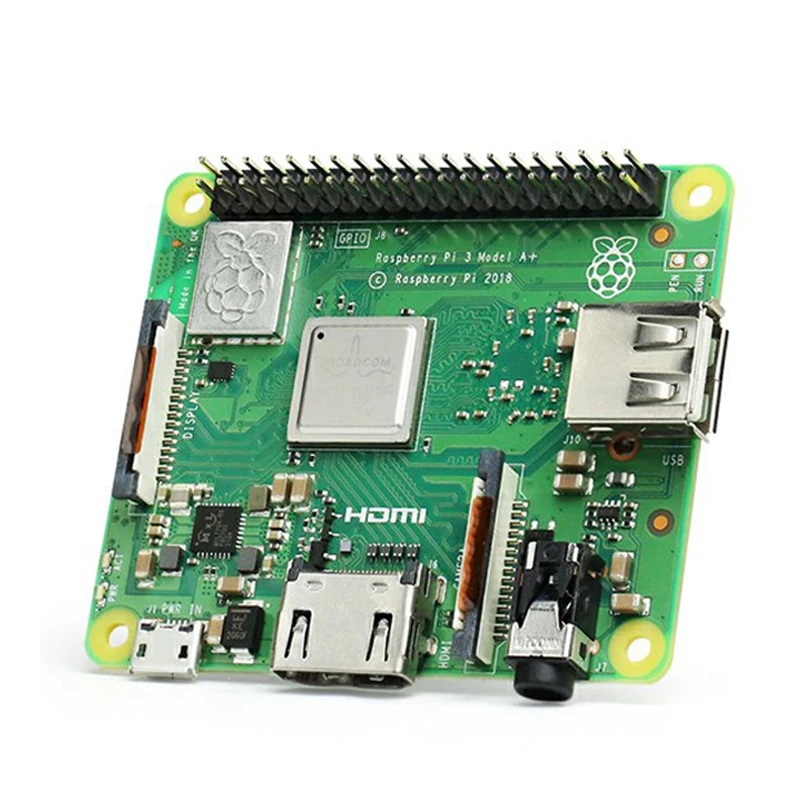
Raspberry Pi is a small low-powered general purpose programmable computer with a long terminal header for standardized GPIO, that is, General Purpose I/O.
The beauty and purpose of that GPIO terminal header is that other devices can be created that plug onto it. You then only need to run the right software which is booted from a micro SD card, and the whole device can be transformed in a myriad of dedicated purpose hardware devices.
This is a boon for retro computer enthusiasts. The Pis themselves are reasonably inexpensive. I bought a few Model 3A+'s for ~$40 CAD. Several projects exist specifically for the Commodore 64 that are based upon Raspberry Pi. Here are few:
- Sidekick64
- RAD expansion unit
- Bare Metal C64 (BMC64)
- Pi1541
Pi1541 is probably the most widely used of the above projects. There is a published specification for the hat and which GPIO pins it uses, and there are numerous implementations that best fit different versions of Raspberry Pi. These addons are called "hats" because they plugin and then sit above the Pi like it is wearing a literal hat.
The most basic Pi1541 hat includes a few push buttons and an IEC serial port. More sophisticated versions can add a small LCD screen, a second IEC port for daisy chaining devices, jumpers for various options, a reset button, and a piezo speaker to simulate drive sounds. There are also numerous form factors and 3D-printable enclosures to give them all a slightly different look and feel.
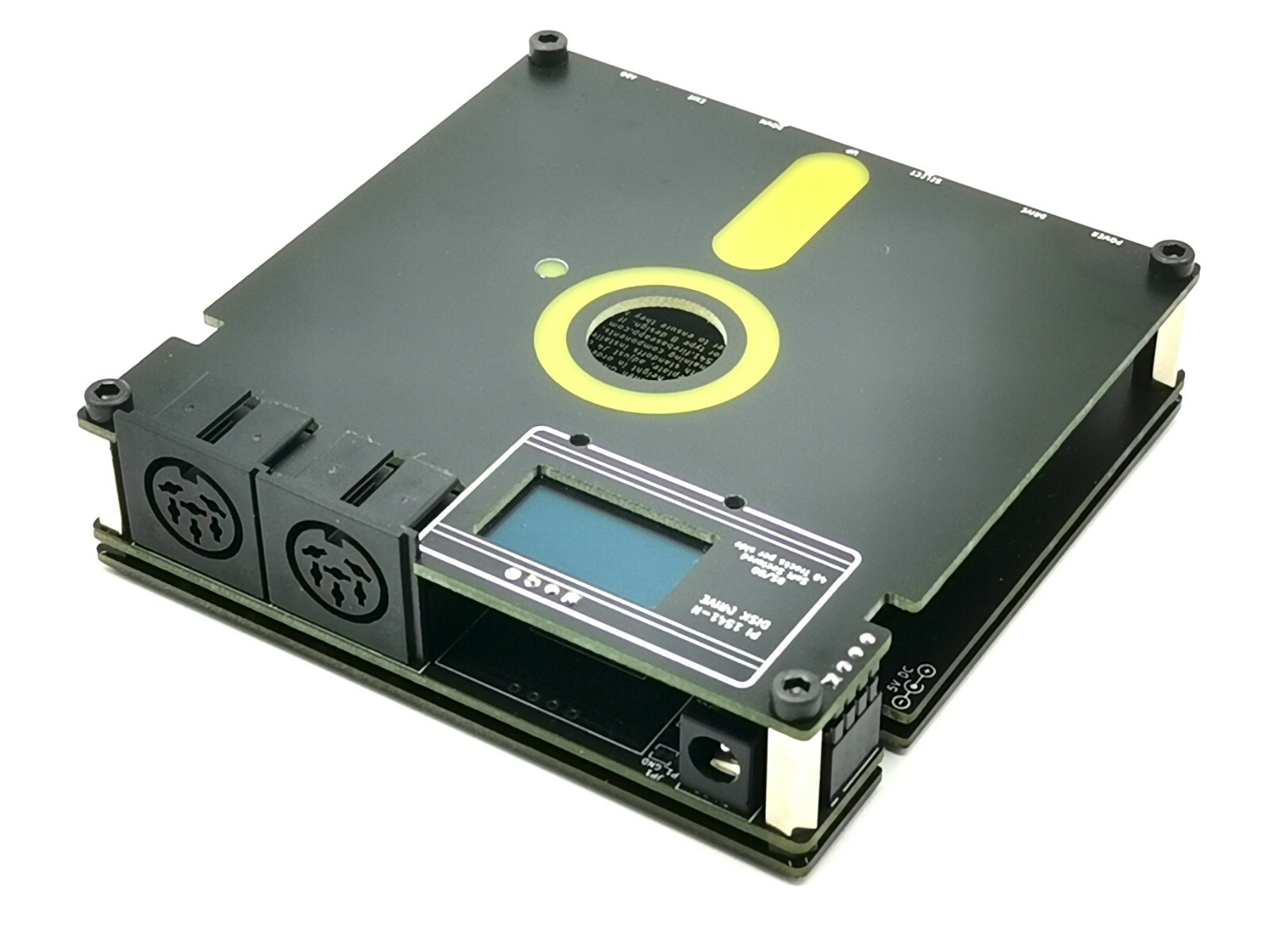
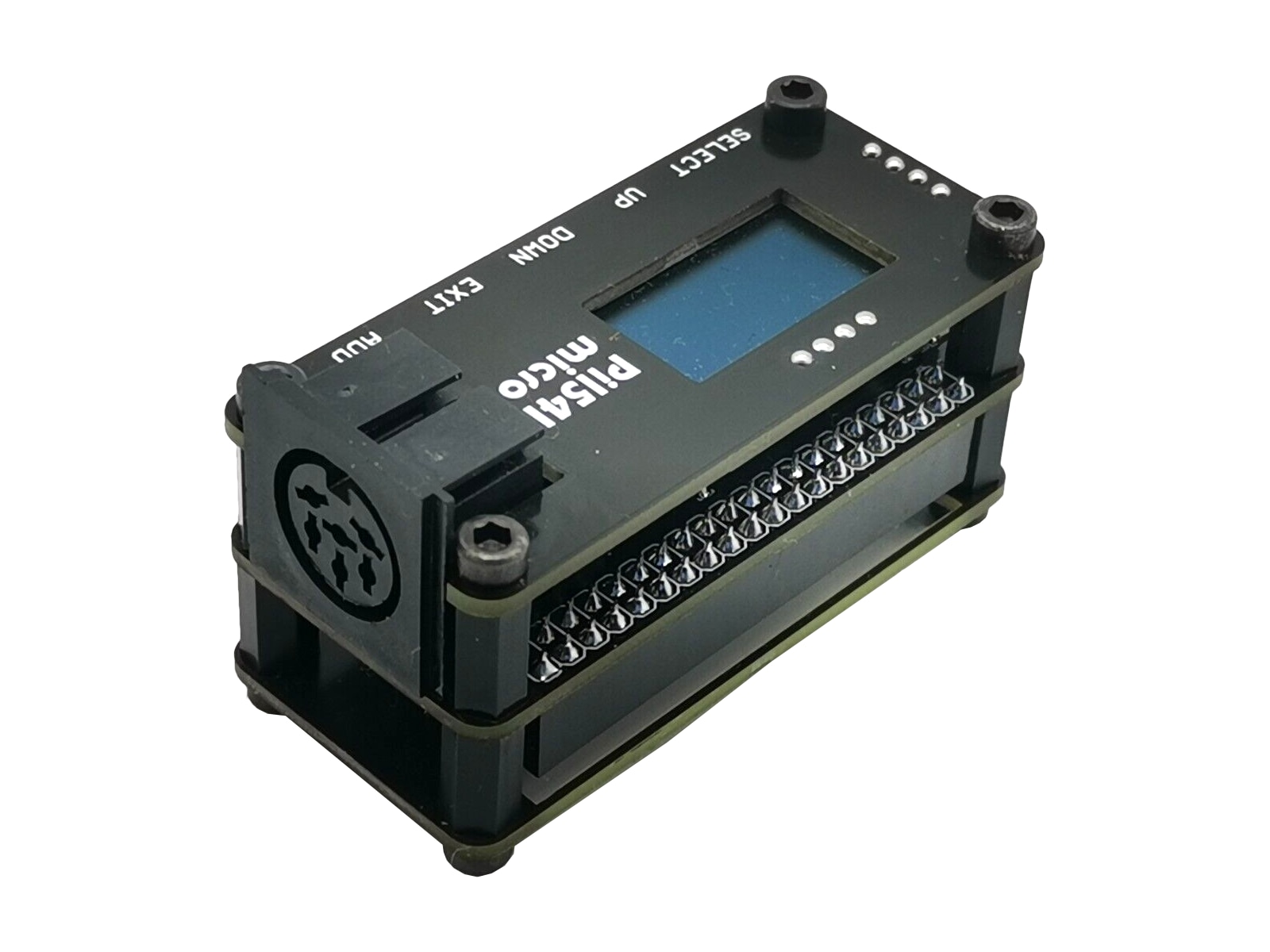
The general idea is that you put the Pi1541 software on a microSD card, and you fill up some directories with 1541, 1571 and 1581 disk images. The 1541 kind (.D64) are by far the most popular, loads of games and demos are distributed as these disk images. You must also provide the ROMs for the 1541, 1571 and 1581 disk drives, but these are widely available and included with VICE, etc. You can alternatively purchase the JiffyDOS ROM image files and put these on the SD Card.
Using the tiny LCD screen and the push buttons on the hat, you can navigate through the directory tree on the microSD card and select and mount a disk image file. Depending on the type of image mounted, the correct ROM is used and the whole device becomes a very compatible version of that disk drive. Many games, but even more so most modern demos, require a 1541 disk drive. (An SD2IEC is not a 1541 emulator, despite what some people say. It is most akin to a low-cost CMD HD replacement. It isn't 100% CMD HD compatible either, but it has a variety of its own nice features.)
When a .D64 image is mounted on Pi1541, the Pi emulates the hardware of a 1541 and the ROM is the original Commodore DOS ROM used in the real drive, so the features and commands, even the memory layout of the ROM, are identical to an original drive. The emulated portion is what they call "cycle exact." In other words, it emulates the 1541 hardware down to the precision of the individual CPU cycles. It is therefore highly compatible. Just what you need for games and demos!
What Pi1541 is not
Using that little LCD screen and the push buttons is not the most convenient. To improve this state of affairs, a minimal set of DOS commands was implemented that take over when a disk image is not mounted.
This includes the ability to list a directory and to use CD commands with the essential syntax of a CMD HD to navigate into and out of subdirectories. Loading binary files from those directories is also supported, but not much else. It is enough to allow a simple menu program such as FBrowse to run and navigate the directories, find and mount a disk image.
I don't know how many Pi1541s there are out there in the wild. It's impossible to tell for certain, but probably a few thousand. The hats are made and sold by numerous online stores and ebay vendors. And there are lots of different kinds. If each kind has sold even just a few hundred, then there are at least a few thousand of these out there. It's also hard to count them, because Raspberry Pi enthusiasts tend to have a few different Pis kicking around that are used in projects that may or may not be C64-specific, plus a bunch of hats for various projects. A working Pi1541 comes into existence when one of those Pis and one of those hats gets plugged together.
It's enough though for lots of people to have asked me if C64 OS can be booted from a Pi1541. In fact, that's the reason I decided to buy some Pis and a Pi1541 hat; I wanted to try it out for myself and have a clear understanding about what it can and cannot do. I got my answer.
The original Pi1541 firmware is really good at emulating a 1541 and it can emulate a 1571 and 1581 too. But when an image is mounted the device appears and operates identically to one of those floppy disk drives. In fact, if you boot C64 OS off a CMD HD or an SD2IEC while a Pi1541 is hooked up with a D64 mounted, C64 OS sees the device as a 1541! That's exactly what it should do. It emulates a 1541 so well that C64 OS can't even tell that it isn't a real 1541.
I don't have to explain here why C64 OS can't be installed on a 1541, 1571 or 1581. But, many people protested, it also supports those subdirectory commands when an image is not mounted. Can C64 OS be installed on the native file system? The answer is definitively no. That native mode of operation is a minimal implementation. If a CMD HD supports 200 DOS features (this is just an illustration, I didn't actually take count), then Pi1541 supports like 5 of those features. I checked, I tried, I tested. And there is no bloody way that its implementation is sufficient to support something so sophisticated as C64 OS.
I even wrote to the developer of the Pi1541 firmware and asked what the plan is for building out support for more DOS commands with an aim for CMD HD compatibility. His answer to me was equally definitive: No. He had zero interest in adding even one more feature to that native DOS. As far as he was concerned, the project was one and done. I learned what I needed to learn. I am in possession of a Pi1541 for what it is and what it can be used for. Then I put mine in a drawer because I don't really need it, and I wrote the FAQ for the C64 OS user's guide to explain briefly that it's not supported.
So that's the end, right? Not so fast.
New brains for existing hardware.
In a totally unexpected turn of events, another developer, Scott Hutter (xlar54 on GitHub) has released an all new firmware for Raspberry Pi called PiCMD, which transforms your Pi1541 into a CMD HD.
The names of the parts are more complicated than they need to be. PiCMD is compatible with existing Pi1541 hats, but suddenly calling one of these hats a "Pi1541 I/O adapter" is an unfortunate misnomer.
The original project is the combination of:
- Raspberry Pi (Zero, 3A, 3A+, 3B, 3B+)
- Hat that adapts a Raspberry Pi's GPIO to a C64's IEC bus
- Custom firmware (called Pi1541)
- 1541, 1571, and 1581 DOS ROM images
- One or more disk images (D64, D71, D81)
Together, these are collectively referred to as a Pi1541. However, the software of a Raspberry Pi is read from a microSD card, it's not flashed to a memory chip. And both sets of firmware use the same adapter board. Since the board provides the Raspberry Pi with an IEC port it should be referred to as an IEC I/O adapter. There are many more things than just a 1541 that connect via IEC. For example, in theory, a Raspberry Pi firmware could be written to accept print jobs over the IEC port. Those print jobs could be converted or rasterized and sent off to a modern printer over Wifi or USB. It's possible! (It's a pretty cool idea too.) In that case the same IEC I/O adapter board could be used, even further distancing it from a 1541.2
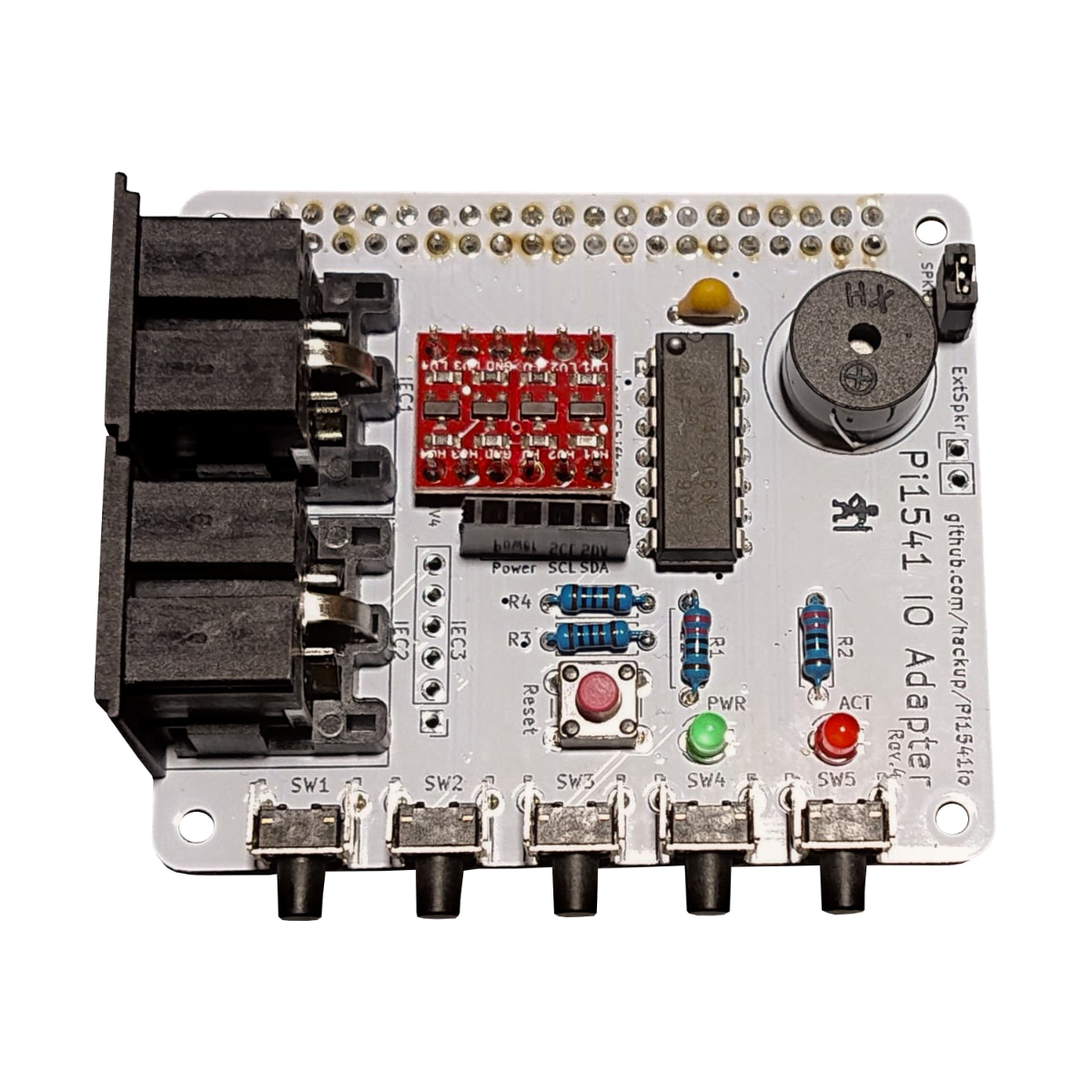
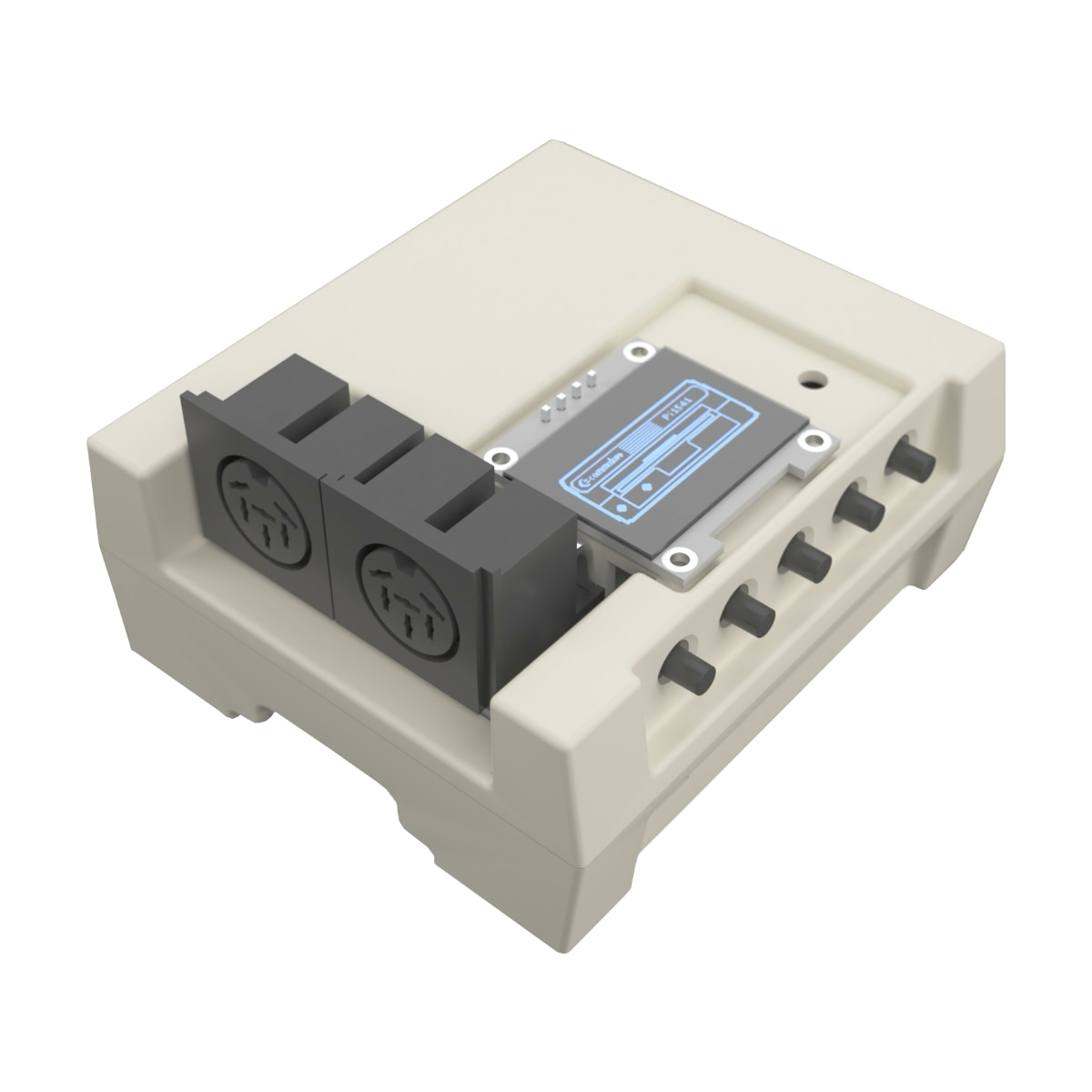
PiCMD is an all new firmware which pulls together several components to make a CMD HD:
- Raspberry Pi (3A, 3A+, 3B, 3B+)3
- Hat that adapts a Raspberry Pi's GPIO to a C64's IEC bus
- Custom firmware (called PiCMD)
- CMD HD boot ROM image (commercially available)
- CMD HD drive image (DHD)
PiCMD is unlike SD2IEC in the following way. SD2IEC is a careful reimplementation of the DOS with a compatible set of commands and syntax, name and path structure and other idioms, but backended natively on a FAT file system. PiCMD is a hardware-level emulator of a CMD HD which then runs the CMD HD-DOS. Its custom partition map and their file systems are contained with a CMD HD drive image.
Here's how the GitHub repository's readme describes PiCMD: (Spelling and punctuation unmodified.)
"A real-time, cycle exact CMD-HD hard drive emulator for the Raspberry Pi, based on Stephen White's Pi1541.
Where Pi1541 emulated a Commodore 1541/1581 floppy drive, Pi-CMD emulates the Creative Micro Designs (CMD) HD series SCSI hard drive. It runs the original CMD boot ROM and HDOS on emulated hardware, so every HDOS command, partition type and behaviour works exactly as it does on the real drive;
- R65C02 CPU @ 2MHz (cycle stepped, all Rockwell opcodes)
- U10 6522 VIA (IEC bus, ATN auto-acknowledge, fast serial shift register)
- U9 6522 VIA + U13 PLD (SCSI data bus and phase handshaking)
- U11 8255A PPI (front panel buttons, SCSI control, memory banking)
- U20 latch (LEDs, RAM write protection)
- RTC-72421 real time clock
- 64K RAM, 16K boot ROM
- SCSI hard disk(s) backed by DHD image files streamed from the SD card
The hardware model follows VICE's CMD-HD emulation (cmdhd.c/scsi.c by Roberto Muscedere), rebuilt on Pi1541's bare-metal cycle-exact framework." — github.com/xlar54/PiCMD
A new system drive for C64 OS
This is an amazing development for Pi1541 owners, and creates a lot more value for the Raspberry Pi IEC I/O adapter boards. C64 OS can be installed on this. It's been tested and it works amazingly well.
When I was first testing Pi1541 I did some initial work trying support its native DOS. I added a device type, performed detection, but in the end it didn't get very far because it just didn't support enough DOS features. The other problem was if you had a D64 mounted when you booted C64 OS, the device would be detected as a 1541. What happens then if you click the button that unmounts the disk image? Suddenly, there is a radically different kind of device on that device number than what the operating system expects.
With PiCMD, the device is detected as a CMD HD. There is nothing even to support. This is the power of a standard. PiCMD replicates a CMD HD so well that C64 OS can't even tell that it isn't one. Amazing.
Image compatibility and miscellany
PiCMD uses an image file that represents the entire CMD HD.
Do not confuse this with a DNP image file. DNP gets its name from the D64, D71, D81 assortment of disk image names. The NP stands for native-mode partition. A D64 is a sequential collection of 256-byte sectors of raw data found on a 1541 disk. The first 256 bytes are the first sector of track 1 and the last 256 bytes are the 17th sector of track 35. A DNP image is the same sort of thing but for a single native-mode partition on a CMD HD, RAMLink or FD series drive. DNP images vary in size because a partition can vary in size, but a DNP image will never be more than 16MB.
What PiCMD uses is an image file that represents all the blocks of the entire block-level SCSI device. This includes the system partition in which CMD HD-DOS is installed. It includes the partition map which specifies the order, type, size and offsets of each of the partitions in the SCSI device's block addresses. And the image can also include empty space that the CMD HD's partition map has not yet allocated. These images can also vary in size, but don't exceed 4GB, since that is the maximum size usable by a CMD HD; 16MB * ~256 partitions.
Here's what's nice: The drive image used in a PiCMD is exactly the same as the drive image used by VICE's virtual CMD HD, and it is exactly the same as the drive image used by BlueSCSI. BlueSCSI is a popular option for retro computers that have a real SCSI bus. The BlueSCSI takes the place of a SCSI hard drive or CD-ROM and backends the storage on an SD Card. That SD Card holds an SCSI hard drive image just like PiCMD's.
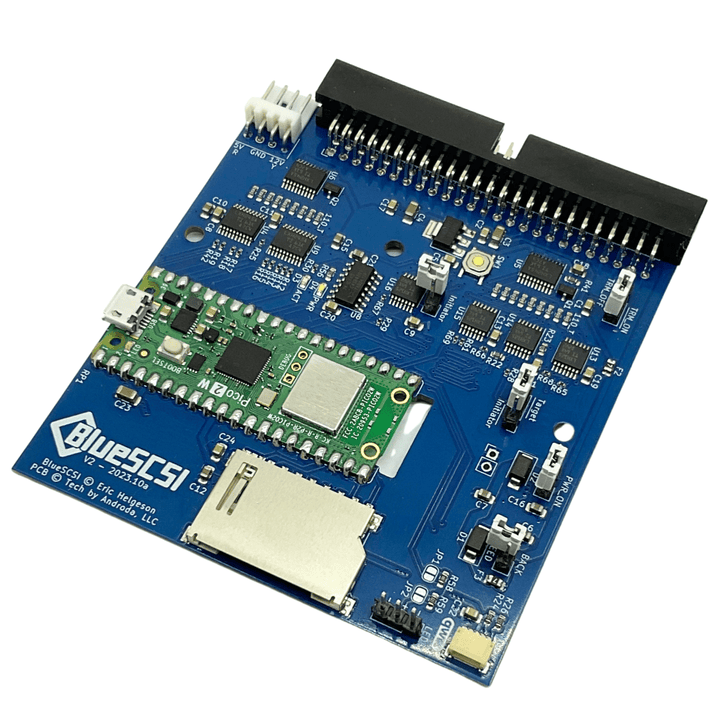
BlueSCSI v2
I have two CMD HD's. My original one I bought in the 1990s and a new one I bought recently from Corei64. Both of them have a BlueSCSI. I use an Automator script to help me make backups. Pull the SD Card from the BlueSCSI, plug it into my MacBook, drag the HD0.img file from the SD Card to the backup script icon in the dock, and it BZips the image to a file securely mirrored to cloud storage for safe keeping. When I was testing PiCMD, I took my most recent BlueSCSI backup, unzipped it to the Raspberry Pi's microSD card, configured its name as PiCMD's configuration wants it... and boom. The PiCMD booted right up and has a complete copy of my entire daily-driver CMD HD. Everything. All my partitions, all the games I've collected and organized over the years, all my Wheels 64 and 128 partitions, and of course my C64 OS setup and all my source code.
Options for creating an image
First things first, all but the earliest C64 OS System Cards ship with a CMD HD drive image with C64 OS pre-installed. These images have CMD HD-DOS is installed and two partitions with C64 OS in the first partition. Nominally, I included this image (along with an IDE64 one) to make it easy get started using C64 OS in VICE. Well, it turns out that these images also make it easy to get started using PiCMD.
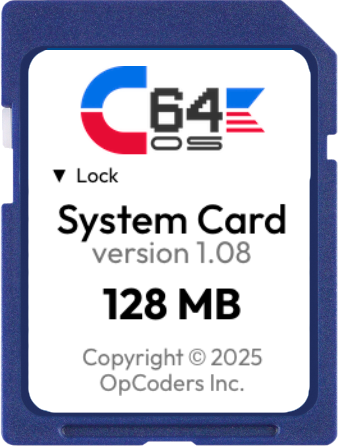
Alternatively, you can make your own image. The GitHub repository for PiCMD includes some instructions for how to set up the image. But you can also follow the detailed instructions provided in the C64 OS User's Guide, Chapter 2: Installation → Advanced VICE Configuration for CMD HD. This walks you through how to create a CMD HD drive image, how install HD-DOS, create partitions and transfer files to it, all using VICE. You can then take that beautiful image you just created and copy it to your PiCMD microSD card, and away you go, you're ready to use it on a real C64.
CMD HD boot ROM
Note that you do need the CMD HD boot ROM image. Even to use a CMD HD in VICE you need this ROM image. Please don't pirate it. Support Retro Innovations by buying a licensed copy of the CMD HDD Boot ROM 2.80 Binary Image from their store. It costs $8 USD.
While you're there, if you don't have JiffyDOS, now is the time to get a copy of that too. CMD HD is a JiffyDOS-aware drive (as is SD2IEC), so if you have the JiffyDOS KERNAL, along with many great features it adds to the READY prompt, access time to your PiCMD will be greatly accelerated.
Switching between Pi1541 and PiCMD
Just because you use PiCMD doesn't mean you lose what was nice about Pi1541. The easiest thing to do is use two microSD Cards. Ones for Pi1541 and one for PiCMD. Set up each one independently. You want a CMD HD for doing fancy stuff? Slip in the PiCMD SD Card and power on the Raspberry Pi. You want to have a highly compatible cycle-exact 1541 for demos and games that need that? Slip in the Pi1541 SD Card and power up the Raspberry Pi.
Easy peasy.
Where to buy
If you've already got a Pi1541 hat, it just got better. Time to take it out of the drawer and try it out.
If you're one of the people who asked me if C64 OS can be installed on a Pi1541, well, now you have an option for putting that hardware to the task.
If you don't have an IEC I/O adapter board for Raspberry Pi but you want to try out PiCMD or Pi1541, you can buy the boards all over the place.
- Protovision
- Retro Computer Store
- Sordan (They have a nice cableless one.)
Or check Ebay for various options, kits, enclosures, cables, etc.
And get the PiCMD firmware here.
- Technically a floppy disk drive. But much larger than conventional C64 floppy disk drives and, crucially, with support for partitions and subdirectories. FD-2000 is like a small slow CMD HD.
- It was a misnomer from much earlier on anyway, as the Pi1541 firmware is able to emulate 1571 and 1581 disk drives too.
- The Raspberry Pi Zero isn't powerful enough to run PiCMD as a CMD HD is beefier than Commodore's original floppy disk drives.